Free
£0
One managed host
No time limit. Start with a single server and get to know CoolOps.
Ask about installationDeployment · Monitoring · Operations
Bring deployments, websites, containers and server health into one practical operations console.
For home labs, small server fleets and software teams. See what is running, understand what went wrong and take the next action.
Your infrastructure. One operational view. Your first managed host is free.
Install CoolOps. Keep control.
One subscription covers your installed system and free companion app. Pay for managed hosts, with no separate charge per container or deployment.
£0
One managed host
No time limit. Start with a single server and get to know CoolOps.
Ask about installation£5 / month
Up to 5 total managed hosts
Or £50 per year. For your home lab and smaller installations.
Membership availability£10 / month
Up to 10 total managed hosts
Or £100 per year. Bring a growing collection of servers into one view.
Membership availabilityLet's talk
A plan for your installation
Discuss your host count, deployment and support requirements.
Discuss your needsPrices include applicable VAT. You supply the hardware or hosting. Individually assisted installation, cloud storage and specialist support are separate.
Online subscriptions are being prepared. Contact us about installation and availability.
The companion app is free to download. Your account controls the installed system's host allowance.
A physical machine or virtual machine that CoolOps manages. Containers, projects and deployments on that host do not count separately. Five hosts means five in total, including the first one. Allowances are shared across your installations.
CoolOps does not stop your running workloads because of a billing failure. Signed licences allow a bounded offline grace period. After expiry, adding hosts is restricted until the licence is refreshed or the allocation is reduced.
Home labs are part of the plan. Raspberry Pi support is being qualified: ask us about your model, operating system and workload before relying on it. Individual services may have their own hardware requirements.
Purchase and manage subscriptions through the website account service. The app connects to your installed system; it has no separate app subscription. When online sales open, the billing portal will handle payment details and cancellation.
From deployment to day-to-day support
Keep the application, its runtime and the evidence together.
Connect GitHub repositories, manage release channels and guide deployments with preflight and post-deploy checks.
Work with Docker containers, Compose projects and native services, with start, stop, restart and logs close at hand.
Manage Nginx sites, routes and HTTPS. Validate configuration and inspect site access and error logs.
Inspect host resources and service health. Manage master and Gateway RabbitMQ brokers, keeping local work separate from selected central messages.
Keep failed operations visible, open the relevant logs and follow suggested checks with a way to verify recovery.
Inspect GPUs, memory use, local model processes and Ollama models alongside the services they depend on.
Inside CoolOps
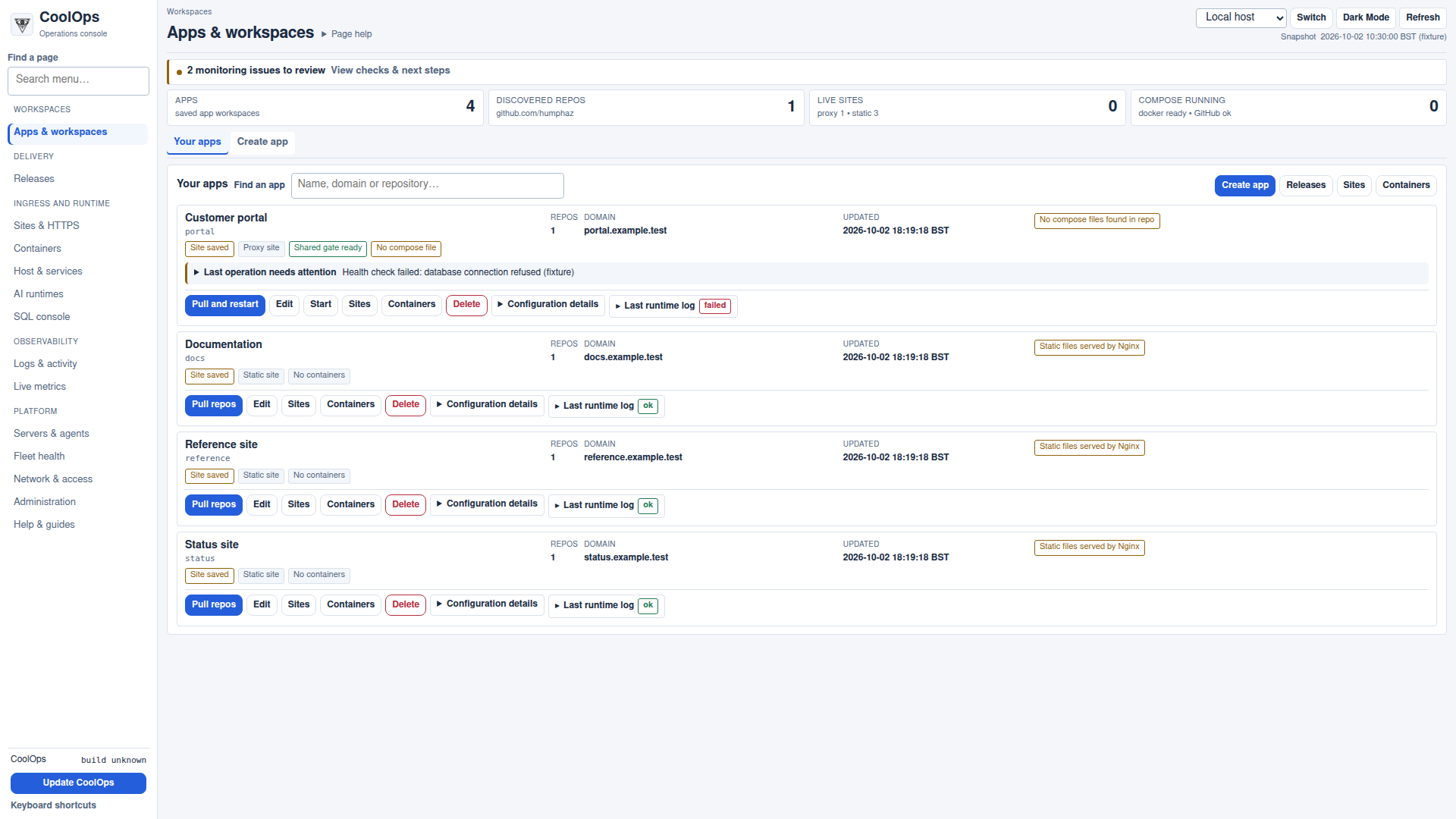
Task-based navigation, compact application rows and detail when you need it. A clear view on a desktop, with accessible navigation on a smaller screen.
Open the CoolOps consoleFor authorised usersBring the repository, runtime and site configuration together.
Use deployment profiles, approvals and validation checks.
Review deployment history, health checks and operation logs.
GitHub releases · Docker & native runtimes · Deployment evidence
Switch the active host or inspect a remote agent profile.
See applications, containers, services and host resource usage.
Use live metrics, alerts and logs to investigate changes.
Host health · Container visibility · Local AI & GPU telemetry
Read the reported cause beside the affected application.
Expand the run log and follow relevant diagnostic checks.
Use the appropriate control and confirm the resulting state.
Visible failures · Contextual recovery guidance · Logs & activity
CoolOps owns RabbitMQ deployment, scoped connections and direct recovery controls.
Gateway, Ollama and local workers use the local broker. Prompts and streaming output stay off the central message hub.
Signed job references and selected summaries cross the link, scoped to the intended tenant, environment and Gateway.
Local messaging · Controlled federation · Independent broker recovery
CoolOps on your phone
Open the download page in your phone's browser, sign in to CoolOps and confirm the code sent to your registered email. Then download and install the approved app.
Part of a wider delivery platform
Deliver & manage
Rosetta Delivery · Management · Support owns customer workflows, integration and tenant context. Gateways execute the work; CoolOps operates the infrastructure.
Explore RosettaDeploy & operate
 CoolOps
 deploys, monitors and manages the runtime infrastructure, including RabbitMQ brokers and the services supporting local AI.
Open CoolOpsArchitecture & expertise
The company behind CoolOps. Independent consultancy across architecture, software delivery, integration and applied AI.
Visit Gala ArchLet's talk about your environment
Tell us what you run, how you deploy it and where support gets difficult.
We can discuss a walkthrough and how CoolOps could fit.